AI operations for any enterprise.
Enterprise-ready AI infrastructure. No ADI cloud required. ADI runs your company's agents on machines you control, connects them to the systems you already use, and keeps the work in a store on your own servers.
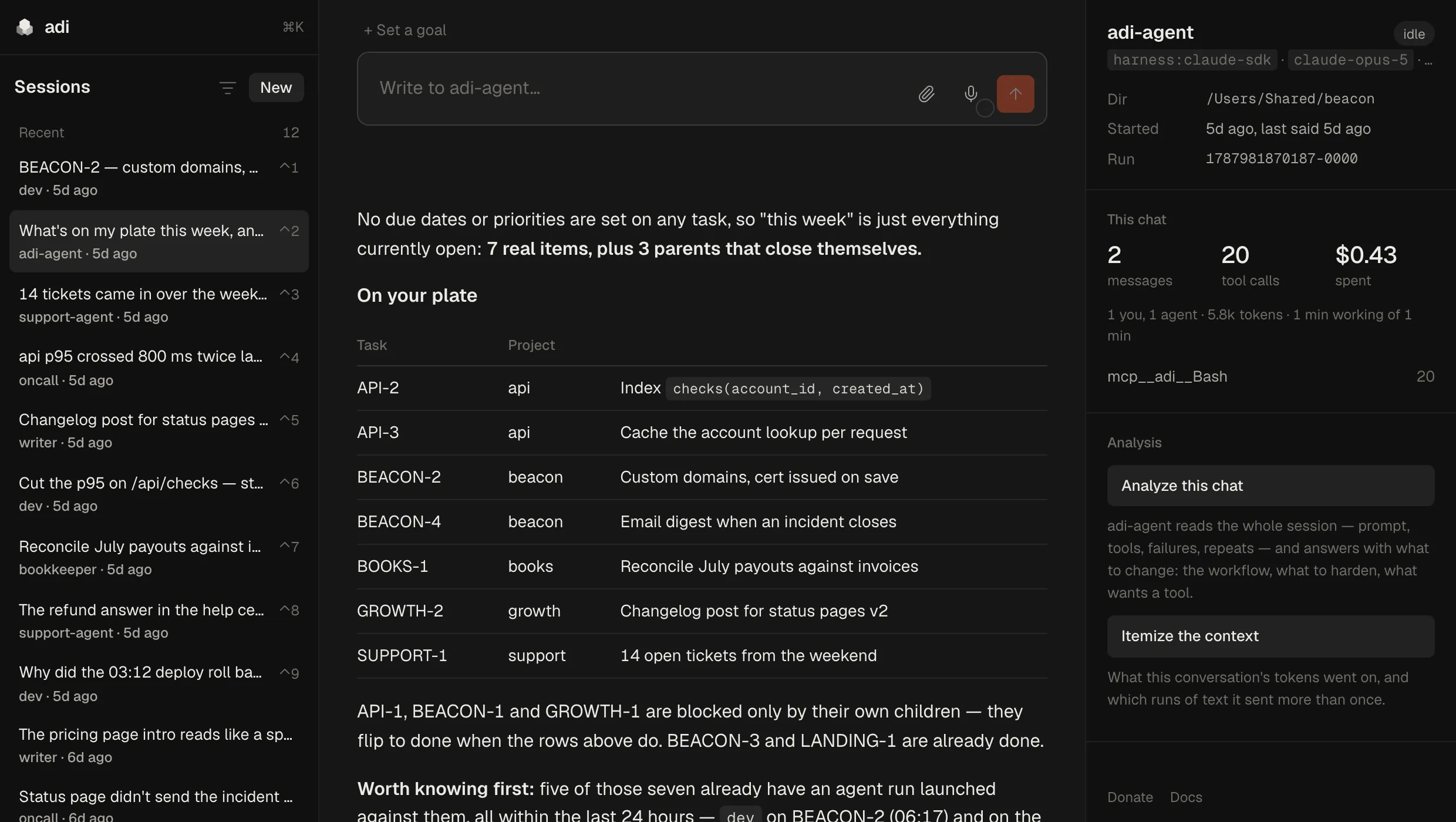
One agent reading the task tree and naming which of the others should pick up each item. Every run is accounted for on the right: model, tool calls, tokens, spend. Shown on a demo store.
SaaS becomes an API layer. ADI becomes the operating interface.
Most of what a company runs already answers an API. ADI puts agents in front of those APIs, so your team asks for the work in one place and the agents carry it out across your systems — and keep a memory of how it was done.
Install locally
ADI-assisted setup
On a machine or server you control. ADI's own agent does most of the setup when you ask it in chat; only you can grant it access to accounts and keys.
Connect systems
Existing + custom integrations
Use the tools ADI already has, and its agents build a small tool against the API of anything else — your own systems included.
Improve operations
Automate + refine workflows
Triggers start agents on an event, a webhook or a schedule. Every run is accounted for, so you can see what to refine next.
Built in.
Agents + orchestration
Each agent is a definition you keep: a model, a prompt, the exact tools it may run, and a memory of its own. They file and pick up work in one shared task tree.
Security controls
Secrets are encrypted at rest and never shown by a listing. Each agent gets only the tools you ticked; each paired machine reaches only the ports you named.
Desktop, web + mobile apps
Desktop apps for macOS, Windows and Linux, and the same control panel in the browser. The iPhone app isn't downloadable yet.
Knowledge base
Notes and code, searched by meaning, with the embedding model running on your own machine.
ADI agents are vendor-agnostic. Anthropic, Moonshot, OpenAI — and room for future models. Inference goes to the provider account you choose.
In client use.
At one client it started with a single small agent for one job. Then came more agents, then dashboards, then workflows the whole team shares. The more ADI was fitted to how they work, the more they used it.
- Micro-agent
- More agents
- Dashboards
- Team workflows
- 100%
- of the client's IT team uses ADI. Nearly all IT workflows run on ADI.
- 7.8B
- tokens across ADI user runs over two weeks.
Company-reported. Client reference calls and client-led demos available on request. Write to sales@withadi.dev.
One store. One control panel.
Everything a deployment runs lives in one store, browsable and editable at app.adi on a machine running ADI — a name your own DNS answers, which installs as an app if you'd rather it were one.
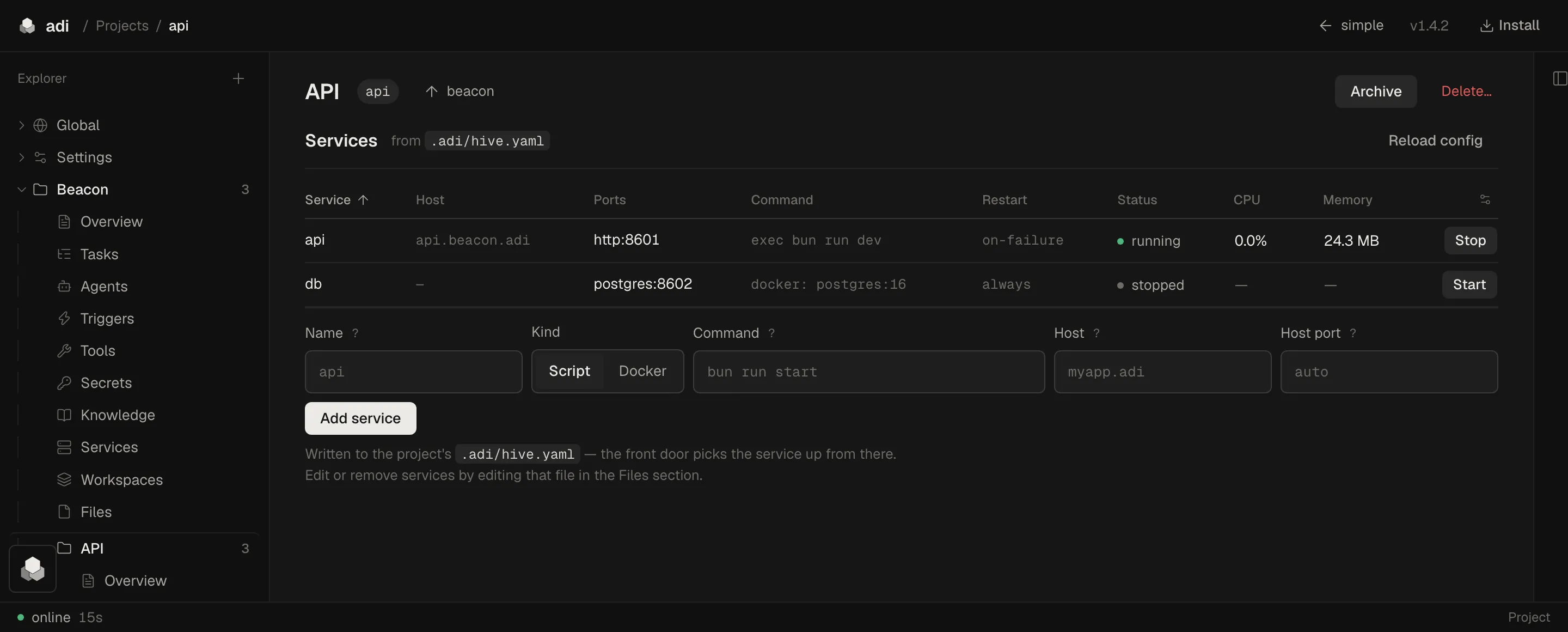
- Projects
- with the services, secrets and database that belong to them.
- Agents
- a model, a prompt, scoped tools, a memory of their own.
- Tools
- small CLIs an agent writes when it needs one, or when you ask.
- Knowledge
- notes searched by meaning.
- Code index
- your source, by meaning, name or path.
- Tasks
- one tree everything writes to.
- Triggers
- a webhook, an event, or a process, running your code.
- Services
- script or container, supervised, on its own
name.adi. - Dashboards
- loose
.tsfiles that hot-reload as you edit. - Secrets
- encrypted at rest, injected into a run, never shown by a listing.
- Database
- one SQLite store all of them share.
- Mesh
- pair another machine and grant it exactly what it may reach.
Your infrastructure, not a tab in someone's cloud.
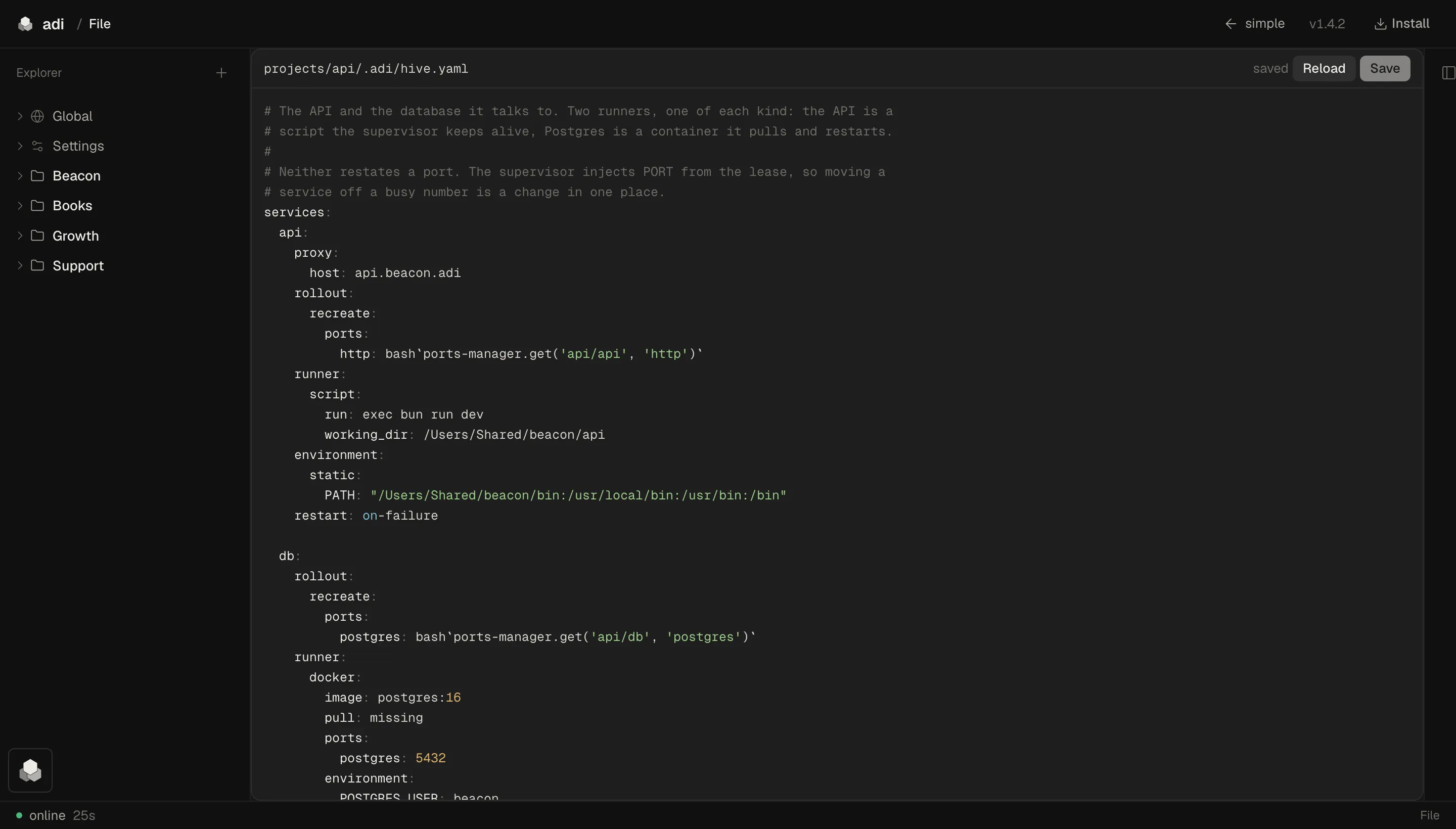
ADI needs no cloud of ours to run. Your projects, your database, your secrets and your agents' memory sit in one store on your own disks, under your own backups. Pull the network and the store is still yours.
You bring your own model account — that call goes to whichever provider you already pay for. A few other things reach the network, and they're named right here. Some of them are ours: an Enterprise installation checks its licence with us, a sign-in with Google or GitHub passes through a router we run, and the app sends a fixed list of usage events, with no prompt, file or secret in any of them, and one command to switch them off. This website counts page views and a few clicks too, and the privacy page says what it keeps.
What uses the network
- Your model provider — inference goes to the account you already pay for.
- The update check — one static file from GitHub Releases, at login and every six hours; the comparison happens here.
adi-mono update disablestops it,update/config.tomlrepoints it. - The mesh relay, if you pair two machines over the internet — they meet at a relay, and between two home connections it often carries the connection itself, not just the introduction. Left alone that is iroh's public relays, run by n0; name your own in
mesh.toml. - Signing in with Google or GitHub — a router we run trades the sign-in for your token and hands it into your own secrets store, and is called again whenever that token is refreshed. No database, no session, no ADI account.
- The embedding model — the weights download once, from Hugging Face, then run here.
- The licence check, on an Enterprise installation — at start and every six hours, to
licence.withadi.dev: the licence code, a random deployment id, the version and platform, and how many machines and users it has. No names, no email addresses, nothing your users do; the privacy page lists it field by field. - Usage events, from the version after 1.30.0 — a fixed list (first start, setup finished, runs in your first week, one a day while it runs) sent to our own collector at relay.withadi.dev with a random install id; never your prompts, files or secrets. They are on unless you switch them off:
adi-mono analytics disablestops them, and the privacy page lists what each one carries.
On your servers. On your team's devices.
The same store runs headless on a Linux server, and keeps running after everyone logs out. No open port, no ssh — it dials out to pair.
Then it doesn't wait for anyone. A service stays up; a webhook or an event starts an agent with the prompt written for exactly that alert. What it works out is in the task tree when the team gets back.
Every machine you pair reaches the others, authorised by key, exposing only the ports you named. An iPhone too — any dashboard, on any of them. That app isn't downloadable yet.
Build on ADI for your clients.
For agencies, consultants and IT service firms. Sell custom SaaS and interfaces built on ADI to your existing clients, and to leads ADI may pass you, then deploy and support them. Your service revenue is all yours.
Your clients pay on your own Stripe account, and you need one in a Stripe-supported country. To apply, write to sales@withadi.dev. Partners sign in at the partner portal.
Your share of each ADI licence payment
- Base
- 30% first year · 15% renewals
- Intermediate
- 40% first year · 20% renewals
- Highest
- 50% first year · 25% renewals
Under the ADI Partner Terms v1.7. Every partner starts at Base and moves up as its number of active instances grows; the Terms set the thresholds.
Free for individuals. Licensed for companies.
$4,950 a year per instance.
ADI is free for you. Using it for yourself — your own projects, learning, research, anything that isn't commercial — is free, whoever you work for. A business that uses it needs a commercial licence, whatever its size.
- An instance
- One control plane with one production store. Unlimited users and machines.
- Up to ten
- $4,950 a year each.
- More than ten
- Write to sales@withadi.dev.
- Support
- A response within three business days. The licence includes no setup service, onboarding or SLA; a partner can do that work for you.
- Where to buy
- From ADI at this list price, or through an ADI partner at the partner's own price. How that works.
- A startup
- Early-stage companies can ask for terms fitted to their stage. The startup programme.
- The licence
- Proprietary and source-available. Read the source and build it for your own use; you can't redistribute it without written permission or build a competitor with it, and it claims nothing you make. With a commercial licence you can also modify it for your own instances; a modified version follows the same rules. Read the licence.
Bring one workflow your team still runs by hand.
We'll show you how ADI would run it, on servers you control.
Download ADI.
Try it on your own machine first. Used for yourself it is free, and this is the whole of it: one file, and no account to create before or after.
Every build, its checksums and its release notes are on the releases page. ADI checks for updates itself once it's installed — and adi-mono update disable stops that.